Reception in a Managed Office
Last updated August 2026
You look after the front desk for a building with several resident businesses. Everything below is what changes for you compared with a single-company reception. You see everyone; each company sees only its own.
Who is here, and who for
On Site Now has a Here to see column: the resident company each visitor came for, and its floor. When somebody at the desk asks "is anyone here for Meridian?", use the company filter next to the location filter — it lists only the companies with someone on site right now, not every business in the building.
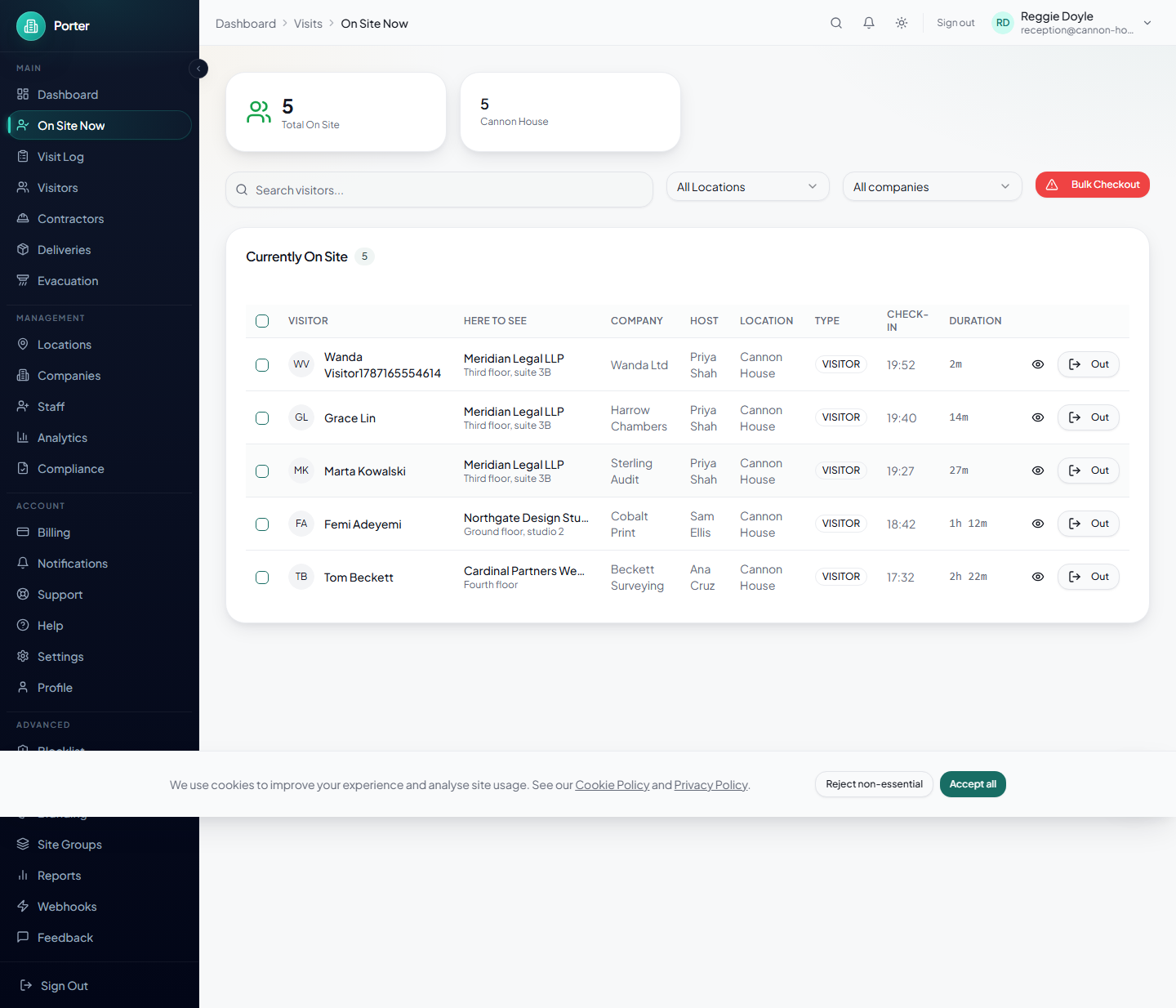
Two labels are worth knowing:
- A host's reply — "On their way down", "Send them up", or "Asked to wait". Hosts answer straight from the arrival email with one tap and no sign-in, so you know whether to hold somebody in the lobby.
- Unconfirmed — the system closed that visit at the end-of-day cut-off without anyone seeing the person leave. See below.
Parcels
When you log a delivery, put the company on it. You can name a person as well, and Porter will not let you pick somebody who works for a different company — which is the mistake that leaves a parcel sitting behind the desk for a fortnight.
If you do not name a person, the company's reception contact is told instead, so a parcel for a business with no named recipient still reaches somebody. Mark it Collected when it is picked up.
The fire roll-call
The roll-call always covers everyone in the building. It is grouped by company so you can work down the sheet a business at a time and hand a section to that company's fire marshal, rather than reading one long alphabetical list at an assembly point. Companies with people still unaccounted for sort to the top.
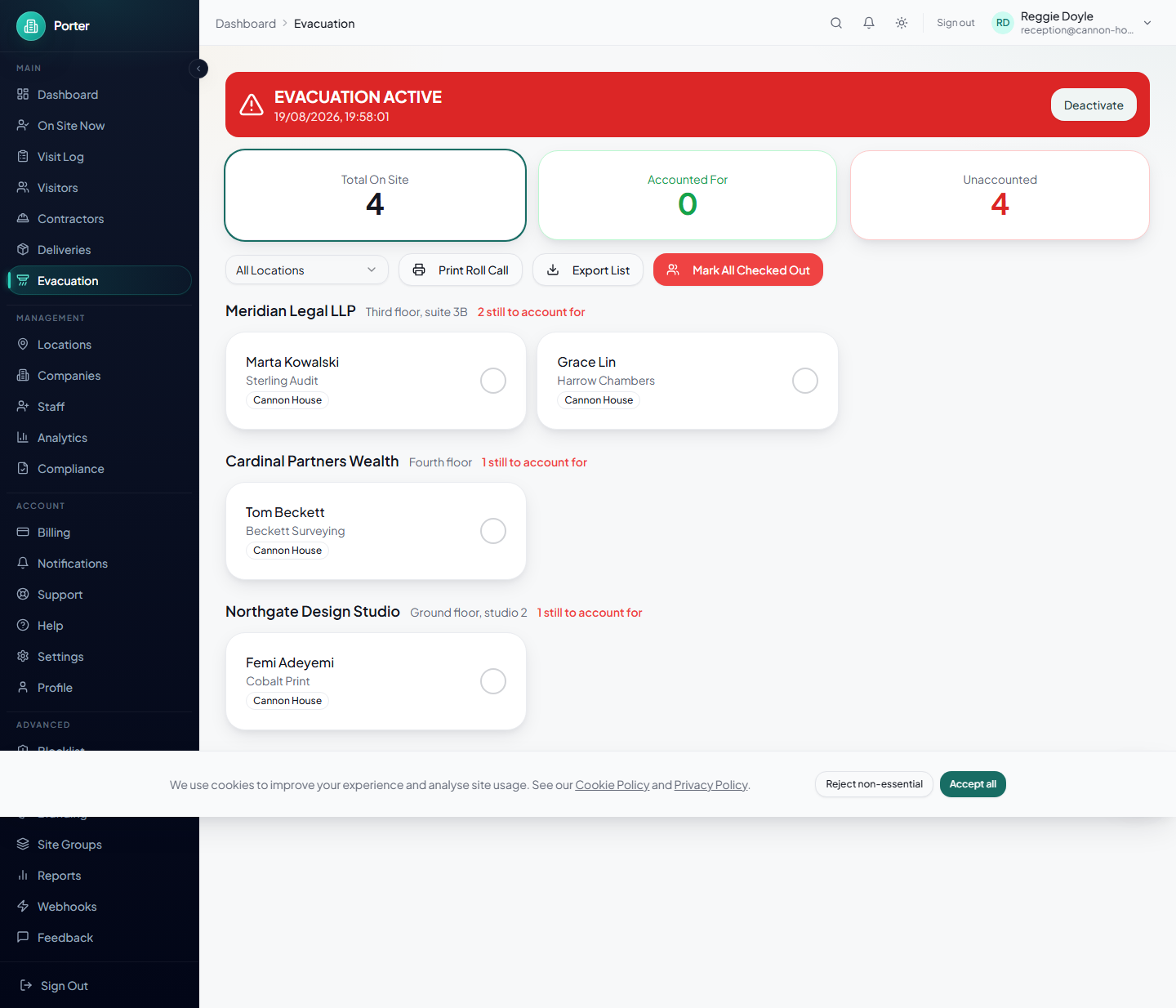
Print Roll Call gives you the same thing on paper, sorted by company with a tick box per person. Export List gives you a spreadsheet with the company and floor as their own columns.
Unconfirmed departures
If a visitor never signs out, the end-of-day cut-off closes their visit and marks it unconfirmed — nobody actually saw them leave. For the next 24 hours they stay on the roll-call, flagged, because they might still be in the building.
After 24 hours they come off the live list and the roll-call. A name from three weeks ago cannot be in the building now, and carrying hundreds of them makes a real roll-call harder to read at the moment it matters. Nothing is deleted: they move to a confirm departed queue, and the record permanently shows that their departure was never witnessed. Clear the queue when you get a moment.
Helping someone at the kiosk
The kiosk asks which company first. A visitor who does not know can tap I'm not sure — call reception, which tells them to come and speak to you. If they know the person but not the business, search their host's company by any name it goes by; most companies here carry their trading name and former names too.
Some companies do not list their people on the kiosk at all. A visitor for one of those gets a message saying the company will be told they have arrived, and both you and the company's contact are notified. That is deliberate, not a fault.