GDPR & Data Compliance
Last updated July 2026
Porter is built for privacy and data protection. This guide covers how visitor data is secured, how to set a retention policy, and how to answer data subject requests for erasure and access. Erasure and export tools are limited to Owners and Admins.
How Porter Handles Visitor Data
Visitor data is encrypted in transit and at rest, and hosted in the EU.
Encryption
- At rest: AES-256 encryption on the database
- In transit: TLS 1.2 or higher, with HTTPS enforced on every endpoint and no fallback to unencrypted connections
- Daily database backups, encrypted at rest
Hosting and Data Residency
- Porter runs on Railway, which is built on Google Cloud Platform
- Your visitor database is hosted in the EU for UK and EU data residency
The Trust Centre has the full security overview, sub-processor list, and certification roadmap (SOC 2 Type 1 is planned for 2026 and ISO 27001 is on the roadmap).
Consent and Signed Documents
Each location can require visitors to accept and sign an NDA or policy document, and to have their photo taken, before check-in completes. Set these under a location's Check-in Settings.
- The drawn signature and the "NDA signed" status are stored on the visit record
- Captured data is included in data exports and is anonymised when you action an erasure
Data Processing Agreement
A Data Processing Agreement (DPA) is available for all customers. It sets out how Porter processes personal data on your behalf under Article 28(3) of the UK GDPR. Read it on the DPA page, or email privacy@portervisitors.com for a signed copy or the current sub-processor list.
Data Retention Settings
Set how long visit records are kept before Porter deletes them automatically. This supports the GDPR principle of storage limitation.
Configuring the Retention Period
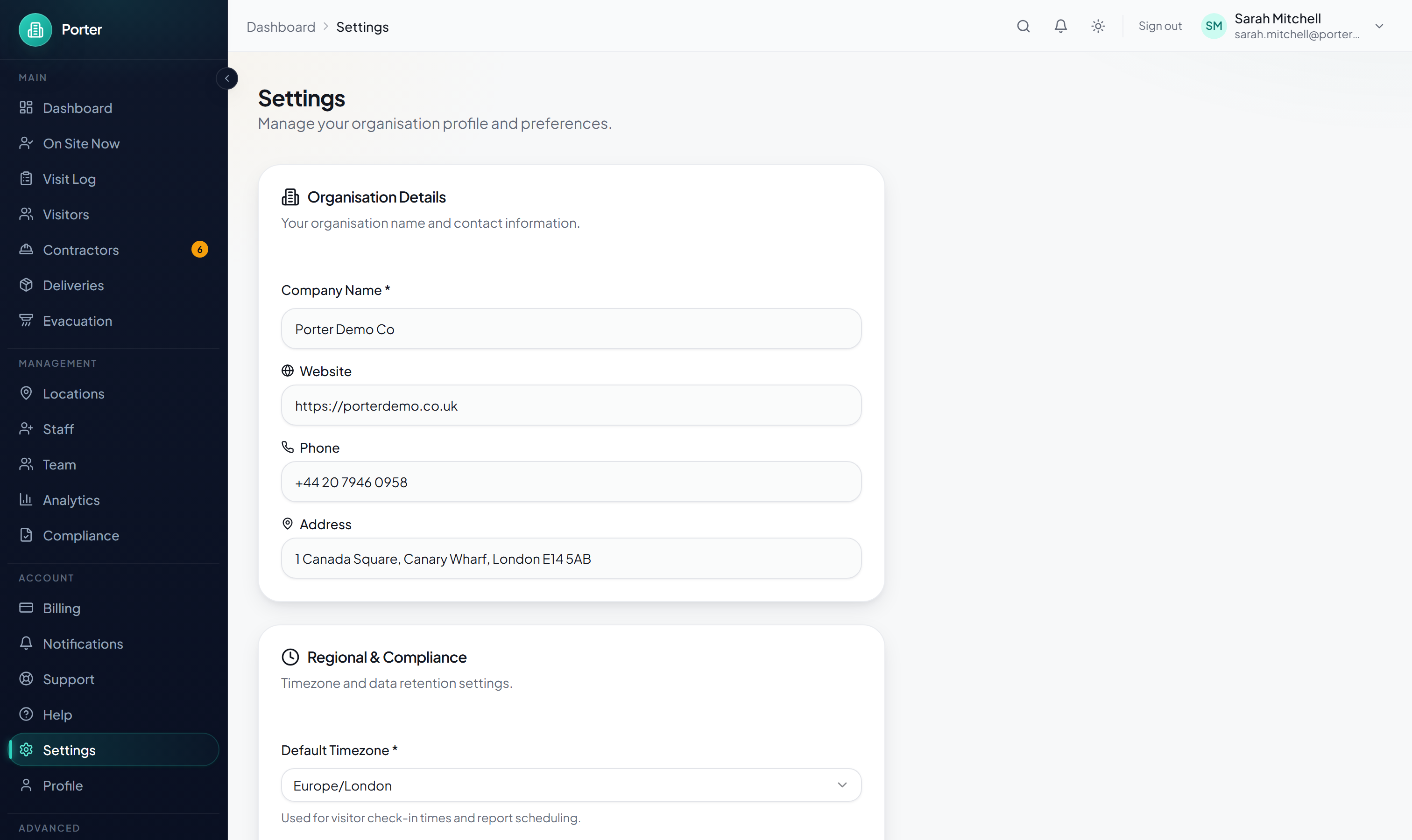
- Open Settings from the sidebar.
- In the Regional & Compliance card, open the Data Retention Policy dropdown.
- Choose a preset: 30, 60, 90, or 180 days; 1 year; 2 years; 5 years; or Keep forever.
- Click Save Changes.
Automatic Deletion
- Deletion runs on a daily schedule and is permanent and irreversible.
- Visit records older than your retention window are deleted. Any visitor profile then left with no remaining visits is deleted too.
- Deleting a visit removes its check-in details, captured photo, signed documents, signature, and check-in answers. Deleting an orphaned visitor removes their name and contact details.
- Anyone still on site is never deleted, so they stay on the live count and the evacuation roll-call even if their check-in pre-dates the cutoff.
- Choosing Keep forever switches automatic deletion off.
- Every run that deletes anything writes an audit event recording the cutoff date and the counts removed, with no personal data.
Analytics are calculated directly from your visit records, so once visits are deleted they no longer appear in historical charts.
Right to Erasure
Under GDPR Article 17, an individual can ask you to delete their personal data. Porter anonymises rather than hard-deletes, so a person's identity is removed while their visit rows stay intact for counts, other visitors' history, and audit purposes. Erasure runs immediately and cannot be undone. There are two ways to do it.
From the Visitor's Record
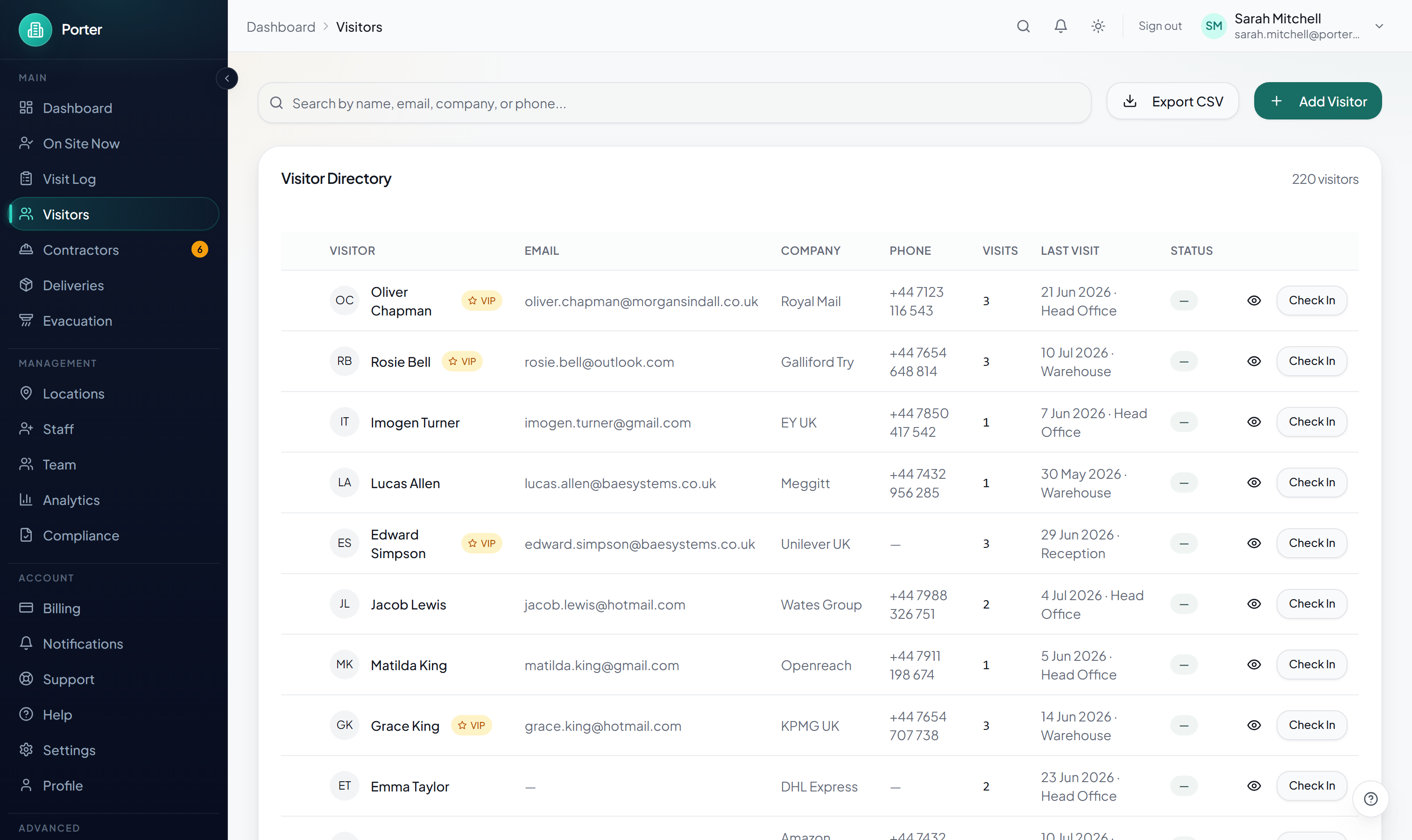
- Go to Visitors and open the person's record.
- Open the GDPR tab.
- Click Erase Visitor Data. The visitor must have an email on record so their data can be matched.
- Confirm Erase permanently.
From the Compliance Report
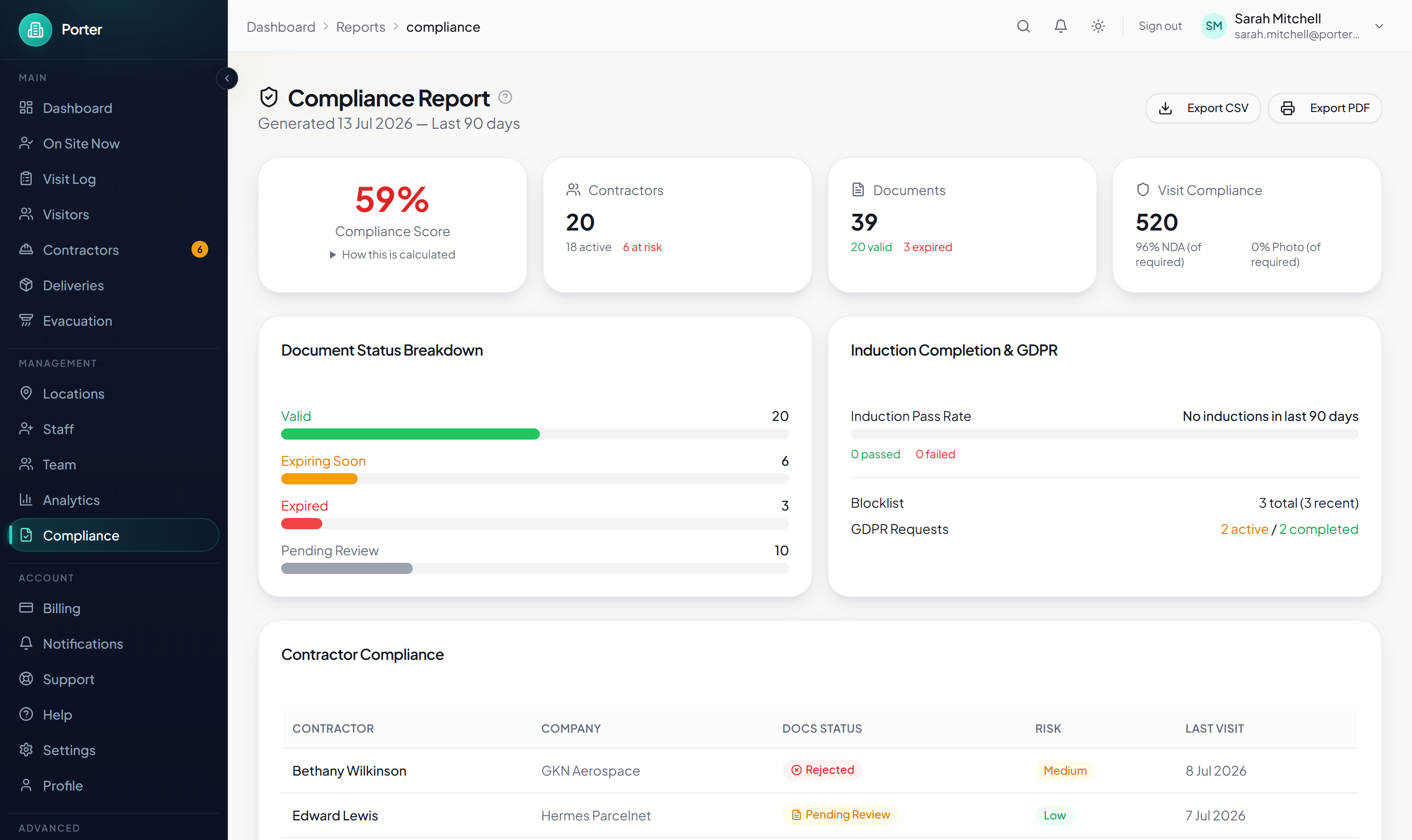
- Go to Reports > Compliance.
- In the GDPR Data Requests panel, click Log request.
- Set the type to Erasure (right to be forgotten), choose A single visitor, and enter the visitor's email.
- Confirm Erase visitor data.
What Erasure Does
Across all of the visitor's visits, Porter replaces their name with "[Deleted]", clears their email, phone, company and photo, and wipes signatures, visit notes, check-in answers, and feedback comments. Their name and email are also scrubbed from notification history. A blocklist entry, if any, is deliberately kept, since Article 17(3) permits retaining it for security.
Audit Log for Erasure
Each erasure is recorded in the audit trail and logged as a completed request on the compliance report. The entry captures the action, when it happened, who performed it, and which subject it related to, so you can evidence the request. The visitor's profile, photos, and signatures are gone from the live records.
Data Export (Subject Access Requests)
Under GDPR Articles 15 and 20, individuals can request a copy of their data. Porter has two export tools plus a log for tracking requests.
Full Organisation Export
- Go to Reports > Compliance.
- In the GDPR Data Requests panel, click Full data export.
- A JSON file (
porter-data-export-<date>.json) downloads, and a completed export request is logged for your records.
The export is limited to roughly one run per minute. It contains your organisation profile, team members, visitor contact records, visit history (including whether an NDA was signed), hosts, contractors, deliveries, consent logs, and recent audit events.
Single-Visitor Export
To export one person's data, open their record in Visitors, go to the GDPR tab, and click Export Visitor Data. This downloads a CSV of that visitor's visit history: date, location, type, host, duration, and status.
Logging and Tracking Requests
Use Log request in the GDPR Data Requests panel to record an access or export request and move it through Pending, In progress, and Completed. These requests feed the GDPR counts on the compliance report, giving you an audit trail of every data subject request.
Audit Trails
Porter keeps an audit trail of administrative and security actions, which is essential for demonstrating compliance during audits and investigations.
What Is Logged
- Logins
- Visitor check-ins and check-outs
- GDPR data exports, erasure requests, and retention runs
- Setting changes (organisation profile, retention period, security, MFA, branding, escalation, and reporting)
- Location changes (created, updated, deleted)
- Team member actions (added, role changed, removed)
- Blocklist additions and removals, and contractor approvals and compliance overrides
- Evacuation mode start and end
Audit Log Retention
- Each entry stores the action, entity, actor, IP address, and timestamp.
- Entries hold action metadata and references rather than visitor profiles, photos, or signatures.
- Audit logs are separate from visitor-data retention. The retention job never removes audit events, so they remain as a long-term compliance record.
Viewing and Exporting Audit Logs
- Go to Settings > Audit Log.
- Filter by search term, action category, and a From and To date range.
- Click Export CSV to download the events that match your filters.