Billing & Subscription
Last updated August 2026
Everything you need to manage your Porter plan: choosing a plan, changing how many locations you pay for, upgrading or downgrading, updating your card, finding invoices, managing seats, and cancelling. Porter is priced per location, so your bill scales with the sites you run.
Everything below lives on the Billing page in the dashboard sidebar (under "Account"). Only Owners and Admins can view and change billing.
Free trial
Every new Porter account starts with a free trial so you can set up your locations and try the full workflow before you pay.
- 14-day free trial with full access to all Professional features
- No credit card required to start
- A trial countdown, with the exact end date, is shown at the top of the Billing page
- No charge is taken during the trial
When the trial ends, choose a plan on the Billing page to continue. If you don't subscribe, your account is paused: your data stays safe and check-ins stop until you subscribe. You get a reminder email before the trial ends, and no card is charged automatically.
Plans and pricing
Porter has three plans. Each is priced per location per month and excludes VAT, and each unlocks more capacity and more features as you move up. The Billing page shows every plan, your current usage, and a "Choose a plan" action.
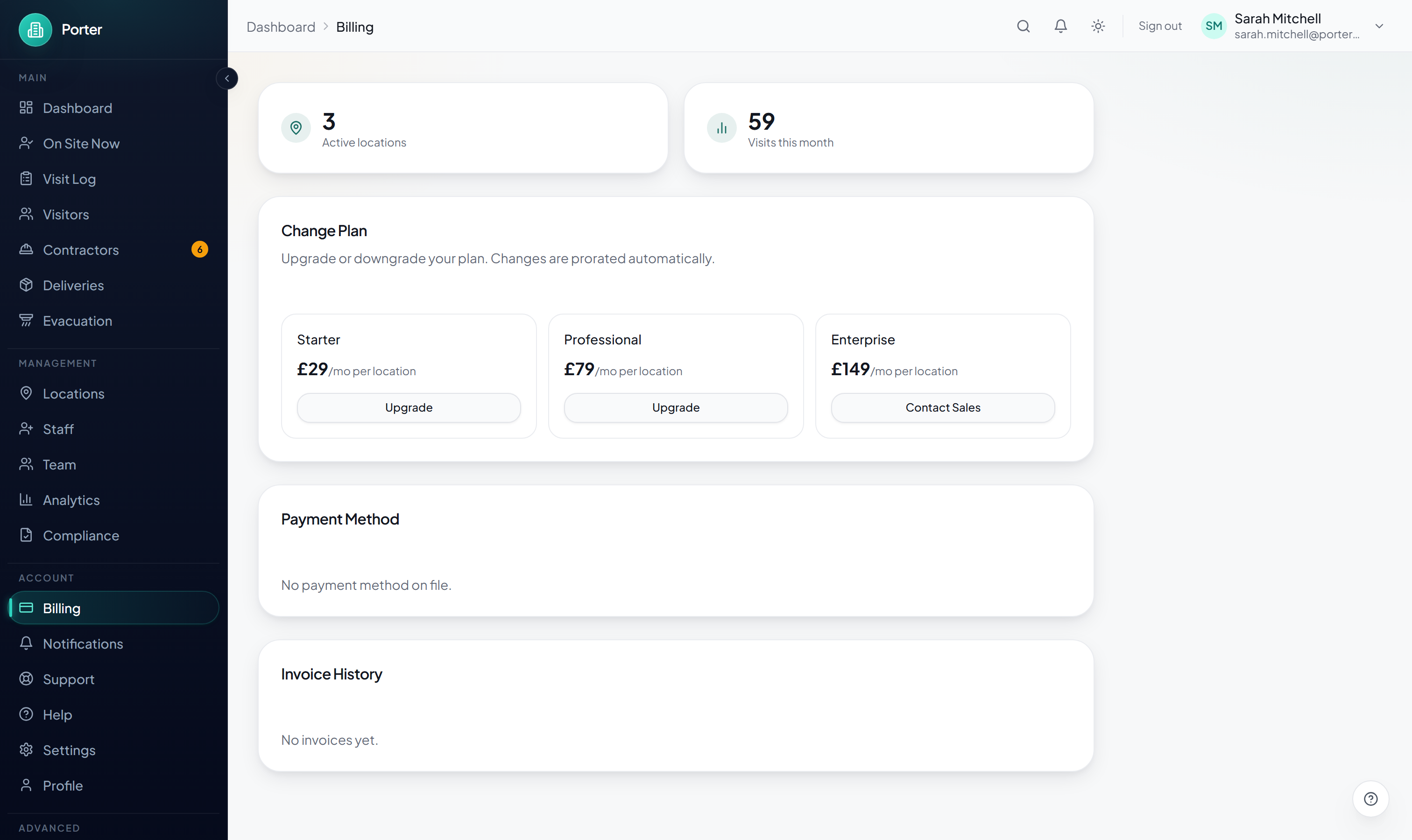
| Plan | Price | Locations | Team seats | Visitors / month |
|---|---|---|---|---|
| Starter | £29 / location / mo | Up to 2 | 5 | 500 |
| Professional | £79 / location / mo | Up to 10 | 20 | 5,000 |
| Enterprise | £149 / location / mo | Unlimited | Unlimited | Unlimited |
Professional adds pre-registration and QR check-in, contractor compliance, induction questionnaires, NDA and document signing, API access and webhooks, and advanced analytics. Enterprise adds SAML single sign-on and SCIM provisioning, site groups, an audit log, priority support, custom data retention, and volume discounts. The Enterprise plan card links to Contact Sales for larger deployments and bespoke arrangements.
Monthly or annual
- Monthly billing with no long-term commitment
- Annual billing saves 17% (roughly two months free) where an annual price is offered. When available, a Monthly / Annual toggle appears above the plan cards.
Volume discounts
Discounts apply automatically as you add locations, on top of the per-location price:
- 10% off once you have 5 or more locations
- 15% off once you have 10 or more locations
How and when you pay
- Payments are processed securely by Stripe; Porter never stores your card details
- Pay by credit or debit card
- Nothing is charged during your 14-day trial. Your first payment is taken when the trial ends (unless you've cancelled), then automatically on each renewal.
Adding and removing locations
Your bill is based on how many locations you subscribe for. On the Billing page, use the + and − stepper next to your current plan to change the count.
- Adding a location applies a pro-rated charge for the rest of the current billing period straight away, and your new monthly total is shown before you confirm.
- Removing a location applies a pro-rated credit that comes back on your next invoice.
- You can only bill for as many locations as your plan allows (2 on Starter, 10 on Professional, unlimited on Enterprise). To go beyond your plan cap, upgrade first.
Upgrading or downgrading
Active subscribers get a Change Plan section on the Billing page with an Upgrade or Downgrade button on each plan.
- Open Billing and find the Change Plan card.
- Click Upgrade or Downgrade on the plan you want.
- Confirm in the dialog. Your existing subscription is updated in place, so no second subscription is ever created.
The price difference is pro-rated immediately: an upgrade charges the difference now, and a downgrade comes back as credit on your next invoice. To move to Enterprise, use Contact Sales.
Payment method
Your current card (brand, last four digits, and expiry) is shown in the Payment Method card on the Billing page.
- On the Billing page, click Update next to your payment method (or Manage Subscription).
- You are redirected to the secure Stripe billing portal.
- Add or replace your card there. The new card is used for all future charges.
If a payment fails, Porter marks the subscription past due and shows an Update Payment Method prompt on the Billing page. Your account keeps working while Stripe retries, but repeated failures can lead to service interruption, so update your card promptly.
Invoices
Every payment generates an invoice. The Invoice History card on the Billing page lists your recent invoices with the amount, date, and status.
- Open Billing and scroll to Invoice History.
- Find the invoice by date and amount.
- Click the open-in-new-tab icon on a row to view or download the Stripe PDF.
To change the email address your receipts are sent to, or to see full billing history beyond the recent list, open Manage Subscription to reach the Stripe billing portal.
Team members and seats
Each plan includes a set number of team seats (5 on Starter, 20 on Professional, unlimited on Enterprise). You manage people from the Team page in the sidebar, under "Management".
- Go to Team and click Invite Member.
- Enter their email address and pick a role (Admin, Location Admin, Receptionist, Host, Security, or Read-Only).
- Send the invitation. They receive an email with temporary login credentials.
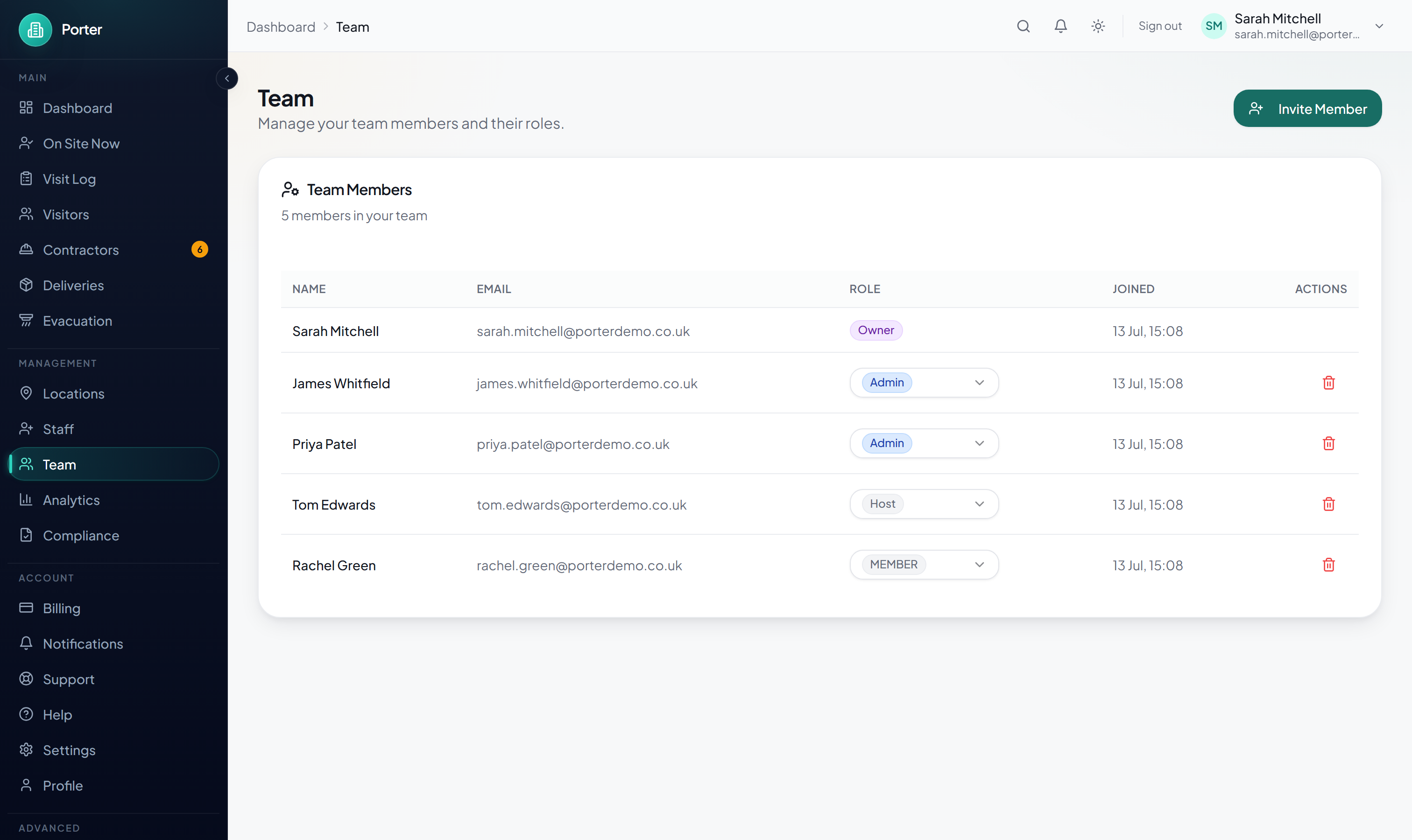
You can change a member's role from the role dropdown on their row, or remove them with the delete button. The account Owner and your own account can't be removed here. Only Owners and Admins can manage the team.
Cancelling
You can cancel at any time. There are no cancellation fees, and monthly plans have no long-term contract.
How to cancel
- Open Billing.
- If you're on a trial, click Cancel subscription on the trial card.
- If you're on a paid plan, click Manage Subscription to open the Stripe billing portal, then cancel there.
- Confirm the cancellation.
A cancellation is scheduled for the end of your current period rather than taking effect instantly, so you keep access until then. You can resume a pending cancellation any time before it takes effect.
What happens after you cancel
- You keep full access until the end of your current billing period
- No further charges are made
- After the period ends, your account is paused
- Your data remains available for export for 30 days, then all personal data is permanently deleted
Export your data first
Before you cancel, export your records. Go to Compliance in the sidebar and use the data-export tool to download a complete archive (CSV or JSON). Once the 30-day window closes, data cannot be recovered.